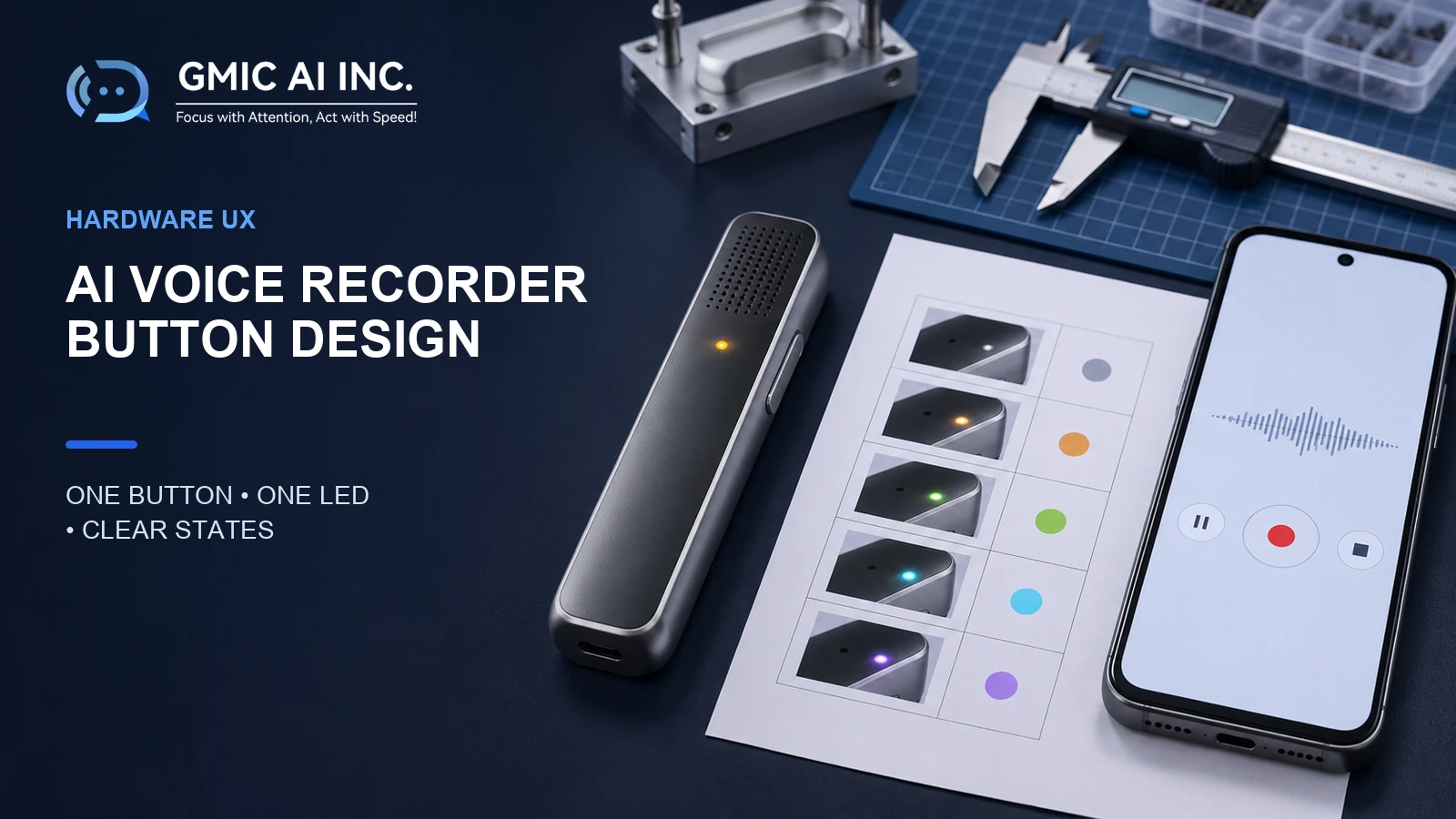
A single-button AI voice recorder looks simple only from the outside. Behind that button is a state machine that must distinguish recording, pairing, battery checks, storage warnings, reset, recovery and firmware updates without causing accidental data loss. The button, LED, vibration motor, mobile app and firmware protocol must all describe the same state.
This guide converts recurring, anonymized buyer questions into an OEM/ODM interaction specification. It focuses on screenless or low-display recorders with one physical button and one status LED, while allowing optional haptic feedback and app control.
Why one button becomes a systems problem
Customers frequently ask whether one button can handle power, recording, restart, pairing and factory reset. They also ask whether one LED can show unsynced recordings, battery, storage, charging, errors and maintenance states.
The challenge is not recognizing a short press or long press. It is deciding what the same gesture means in every device state, and what happens when two states compete. A long press during recording cannot be interpreted casually if a different long press starts a reset from idle.
Start by listing product states, not button gestures:
- powered off or shipping mode;
- booting and self-test;
- idle and unpaired;
- idle and paired;
- recording start pending;
- recording active;
- recording stop/finalization pending;
- connected and transferring;
- charging;
- low battery or critical battery;
- storage nearly full or full;
- OTA downloading, installing or recovering;
- reset confirmation and reset execution;
- hardware or filesystem fault.
A gesture should be assigned only after the behavior in every applicable state is defined.
Use a layered interaction model
A clear screenless recorder normally uses three feedback channels:
| Channel | Best use | Limitation |
|---|---|---|
| Physical button | Intentional user command | Press duration and multi-click timing can be misunderstood |
| LED color/pattern | Persistent or visible state | Color alone is inaccessible and patterns are easy to confuse |
| Haptic feedback | Private confirmation near the body | Cannot communicate detailed errors and consumes power |
| Mobile app | Detailed status, confirmation and recovery | May be unavailable, locked or disconnected |
Do not make a destructive function depend on a pattern users cannot discover. Pairing and factory reset should have app guidance or an explicit confirmation sequence.
Build the button map around the primary job
For a recorder, starting and stopping a recording is the highest-frequency action. Give it the simplest, most consistent gesture. A practical baseline is:
| Device state | Gesture | Proposed result |
|---|---|---|
| Off | Hold 2–3 seconds | Power on; do not start recording until boot is complete |
| Idle | Single press | Start recording |
| Recording | Single press | Stop and finalize recording |
| Idle | Double press | Show battery/storage summary, or add a user-defined shortcut |
| Idle, unpaired | Hold 3–5 seconds | Enter time-limited pairing mode |
| Any responsive state | Hold 10–15 seconds | Forced restart without deleting user data |
| Idle after explicit sequence | Multi-step confirmation | Factory reset and secure erasure |
This is an example, not a universal rule. Some products use a one-second hold for start/stop to reduce accidental activation. The key requirement is consistency across firmware, quick-start guide, app copy and support diagnostics.
TI’s multi-mode key example demonstrates timer-based recognition of short, long and double presses using state machines. The engineering problem is to define timing windows and event priority without making normal use feel slow.
Do not overload the most important gesture
If single press starts recording from idle, it should not also display battery first and delay the recording unexpectedly. If long press powers off, it should not silently discard a recording that is still being finalized.
Avoid these common conflicts:
- single press means “record” in one firmware version and “wake” in another;
- double press waits so long for a second click that single-press recording feels unresponsive;
- a long press triggers pairing before the user reaches the longer reset threshold;
- app-issued stop and button-issued stop both finalize the same file twice;
- a forced restart erases the current recording without marking it incomplete;
- charging changes the LED so the user cannot confirm whether recording is active.
Write an event-priority table. Recording finalization, data integrity and critical thermal/battery safety should outrank cosmetic feedback.
Specify press timing as ranges, not labels
“Short,” “long” and “very long” are not firmware requirements. Define:
- debounce time;
- minimum valid press;
- maximum short-press duration;
- double-press interval;
- long-press threshold;
- reset threshold;
- whether the action occurs on press-down, threshold crossing or release;
- behavior if the button remains held after the threshold;
- tolerance across temperature, switch aging and manufacturing variation.
Example timing policy:
| Event | Recognition window | Action timing |
|---|---|---|
| Short press | 60–700 ms | On release |
| Double press | Two short presses within 350 ms | After second release |
| Long press | 2.0–4.9 s | At 2.0 s with haptic confirmation |
| Very long press | 10 s or more | Forced restart at threshold |
If double press is supported, firmware must delay final interpretation of the first press or use a design where the first action can safely occur immediately. Measure the perceived delay with users wearing gloves and using the device without looking.
Design an LED vocabulary that users can learn
A single RGB LED can express many states, but more combinations do not create more clarity. Define a small vocabulary:
| Pattern | Recommended meaning |
|---|---|
| Solid amber/red | Recording active |
| Slow blue pulse | Ready to pair |
| Solid blue | Connected and idle |
| Short green confirmation | Recording saved successfully |
| Repeating yellow pulse | Storage nearly full |
| Repeating red pulse | Critical battery or blocking error |
| Purple progress pulse | OTA in progress |
| Alternating red/blue after confirmation gesture | Factory reset pending |
Color should not be the only differentiator. Use solid, slow pulse, rapid pulse and numbered flashes carefully, and pair critical actions with vibration or app text. W3C accessibility guidance warns against using color as the sole way to convey information; the same principle is useful for screenless hardware.
Do not reuse a pattern for unrelated states. “Blinking red” cannot simultaneously mean low battery, recording, reset and failure.
Decide whether the recording indicator can be hidden
Some products need a visible recording light for user trust or local policy. Others request a discreet mode. Treat this as a product and legal decision, not merely an LED preference.
If the recording LED can be disabled:
- charging, fault and reset indications should remain available;
- the app should show that discreet mode is enabled;
- the device should still provide intentional start/stop confirmation;
- diagnostic logs should record the setting;
- the setting should not change silently after OTA or reset;
- regional or industry requirements should be reviewed before release.
Do not imply that disabling an LED changes consent or recording-law obligations.
Use haptics for private, immediate confirmation
Haptics work well when the recorder is clipped to clothing or held in a pocket:
- one short pulse: recording started;
- two short pulses: recording stopped and finalized;
- three rapid pulses: action rejected or blocking fault;
- a sustained pulse: destructive confirmation threshold reached.
The vibration should confirm a completed state transition, not merely a button press. If storage is full and recording cannot start, the device must not issue the normal “recording started” pulse.
Measure motor startup time, current draw, acoustic noise coupled into the microphones and the possibility that vibration contaminates the first or last audio frames.
Separate restart, unpair and factory reset
These are different operations:
| Operation | Expected effect |
|---|---|
| Forced restart | Reboot firmware; retain recordings, settings, bonds and keys |
| Clear pairing | Remove selected or all phone bonds; retain recordings unless specified |
| Reset settings | Restore preferences; retain user data and ownership unless specified |
| Factory reset | Remove ownership, bonds, settings and keys according to policy |
| Secure erase | Make retained recordings cryptographically or physically unrecoverable |
A single 10-second hold should not ambiguously perform all five. Use a multi-stage flow: enter reset-pending state, show a distinct pattern, require release and confirmation, then execute. The app can provide an alternative flow with plain-language consequences.
The AI voice recorder factory reset and secure erasure guide defines the data and key consequences in more detail.
Preserve recordings across button races and power events
Button handling must cooperate with the recording pipeline. Define behavior for:
- stop pressed during file creation;
- repeated stop presses while finalization is pending;
- power-off requested during flash write;
- forced restart during recording;
- storage becoming full between start and the next audio chunk;
- battery falling below the safe write threshold;
- BLE command and physical button arriving together;
- watchdog reset during finalization.
Use a stable recording ID and an idempotent stop/finalize command. A second stop should return the same final state rather than create another file or delete metadata. File recovery should align with the AI voice recorder file-transfer protocol and time-sync and metadata model.
Make app and device state converge
The app should not infer state only from the last button event. It should read an authoritative device status containing at least:
- boot/session identifier;
- recording state and recording ID;
- file-finalization state;
- battery percentage or qualified battery state;
- charging state;
- free storage and storage-warning state;
- pairing/connection state;
- OTA state;
- last blocking error;
- firmware and protocol version.
When reconnecting after a disconnect, the app must query current state rather than assuming the device remained idle. If the button starts a recording while the phone is disconnected, the app should reconcile that recording when it returns.
Define state transitions before writing UI copy
A compact state table prevents ambiguous firmware behavior:
| Current state | Event | Guard | Next state | User feedback |
|---|---|---|---|---|
| Idle | Record press | Storage and battery sufficient | Starting | Immediate pulse, then recording indication |
| Starting | Encoder ready | File opened successfully | Recording | One haptic pulse |
| Starting | File open fails | Any failure | Error | Three pulses + error LED |
| Recording | Stop press | — | Finalizing | Stop indication without claiming success yet |
| Finalizing | File committed | Integrity checks pass | Idle | Two pulses + short green confirmation |
| Finalizing | Commit fails | — | Recoverable error | Error pattern; preserve partial file |
| Idle | Pair hold | Not recording/OTA | Pairing | Slow blue pulse with timeout |
| Idle | Reset sequence | Confirmation complete | Resetting | Unique warning pattern |
Keep the transition source in firmware documentation and mirror the same enum and error definitions in the SDK.
Handle low battery and full storage explicitly
The device must decide whether “low” is a warning or a block. A useful policy distinguishes:
- battery warning: recording may start, with a visible/app warning;
- battery critical: new recording is blocked or the current file is finalized safely;
- storage warning: recording may continue, but remaining time is shown;
- storage full: new recording is blocked; existing files are not silently overwritten or deleted.
Feedback should say whether the last button command succeeded. A red flash that could mean either “low battery” or “recording stopped” creates support problems.
If the product promises no automatic deletion, test that policy at the exact full-storage boundary and after reboot.
Pairing should be time-limited and observable
Physical presence can strengthen pairing. A button hold may open a short pairing window, but firmware should also define:
- window duration;
- advertising identity and privacy policy;
- whether recording continues during pairing;
- what happens if an existing phone is connected;
- failed-attempt limits;
- app/device authentication after BLE bonding;
- whether pairing mode can be entered remotely;
- how the user cancels pairing.
For devices that remember several phones, align the button flow with the multi-phone pairing and BLE bonding design.
Protect OTA and reset states from ordinary presses
During firmware installation, normal record or power gestures may be unsafe. Define whether button presses are ignored, queued or used only for a documented recovery action. The LED and app should clearly distinguish downloading, installing, rebooting and rollback.
The AI voice recorder OTA firmware update guide covers power checks, signed images, recovery and rollback. The button specification should reference the same OTA state enum.
Test the physical control, not only the firmware
Button UX depends on mechanical design:
- actuation force and travel;
- tactile ratio and audible click;
- side versus top placement;
- accidental presses in pockets, clips and cases;
- glove use and limited dexterity;
- ingress sealing and membrane stiffness;
- switch bounce and lifetime;
- enclosure tolerance stack;
- LED brightness, light pipe leakage and viewing angle;
- vibration transmission into the microphone and enclosure.
Validate EVT, DVT and PVT units. A state machine tuned on an exposed development switch may feel different after the final waterproof membrane and metal side key are installed.
Production acceptance matrix
| Test | Evidence required |
|---|---|
| Press timing | Min/max timing recognized across tolerance and temperature |
| Bounce | One physical actuation creates one logical event |
| Recording start | File and recording ID exist before success feedback |
| Recording stop | Repeated stop events are idempotent |
| App race | Simultaneous app/button commands converge to one state |
| Low battery | Warning and blocking thresholds behave as specified |
| Full storage | Recording stops safely without overwrite |
| Pairing timeout | Device exits pairing and returns to a known state |
| Forced restart | User data and bonds remain intact |
| Factory reset | Explicit confirmation precedes destructive action |
| OTA | Ordinary presses cannot interrupt critical installation |
| LED visibility | Patterns remain distinguishable in bright and dark environments |
| Haptics | Start/stop pulses are distinct without corrupting audio |
| Mechanical life | Final key and enclosure pass the required cycle test |
Questions for an OEM/ODM requirements document
- What is the simplest gesture for the primary recording action?
- Does recording start on press, threshold crossing or release?
- What are the exact press and multi-click windows?
- Which states block recording and why?
- How does the device confirm that a file was actually created or finalized?
- What do LED color, cadence and duration mean?
- Is color backed by pattern, haptic or app text?
- Can the recording indicator be disabled, and which indications remain mandatory?
- How are restart, unpair, settings reset, factory reset and secure erase separated?
- What happens when app and button commands arrive together?
- How are incomplete recordings recovered after a forced restart?
- Which button actions remain available during charging, transfer and OTA?
- Are press events and failure reasons exposed through the SDK?
- How are final enclosure tolerances included in button validation?
- Which quick-start, app and support documents are generated from the same state table?
Frequently Asked Questions
Can one button control an AI voice recorder safely?
Yes, if high-frequency actions remain simple and destructive actions use distinct, confirmed sequences. The firmware must define every gesture in every state.
Should recording use a single press or long press?
Single press is faster; a short hold can reduce accidental activation. Choose based on form factor and user testing, then keep the behavior consistent across firmware and app documentation.
Can one RGB LED show all recorder states?
It can show a limited vocabulary. Avoid assigning many meanings to the same color or blink. Critical states should also use cadence, haptic feedback or app text.
Should the vibration occur when the button is pressed?
Prefer confirmation after the requested transition succeeds. Otherwise the user may feel a “recording started” pulse even when storage or battery prevented recording.
What should a very long press do?
Usually a forced restart that preserves user data. Factory reset should require an additional confirmation and have clearly documented erasure consequences.
How should the app know that the physical button started recording?
The app should subscribe to or query an authoritative device state containing the recording ID and state. It should reconcile again after reconnecting.
Treat the interaction map as an engineering interface
The button map is not merely industrial-design copy. It controls file integrity, pairing security, battery behavior, OTA recovery and support diagnostics. The strongest design uses a small gesture vocabulary, unambiguous feedback, idempotent commands and one shared state definition across firmware, SDK, app and documentation.
GMIC helps teams validate this interaction model on the final hardware—not only on a development board—so that the tactile switch, LED, haptics, recording pipeline and mobile integration behave as one product.
Authoritative references
- Texas Instruments: Multi-mode Key Input—Short Press, Long Press and Double Click
- W3C Web Content Accessibility Guidelines: Use of Color
- Nordic Semiconductor: Button handling and debounce examples
- Bluetooth SIG: Bluetooth Core Specification
- NISTIR 8259A: IoT Device Cybersecurity Capability Core Baseline