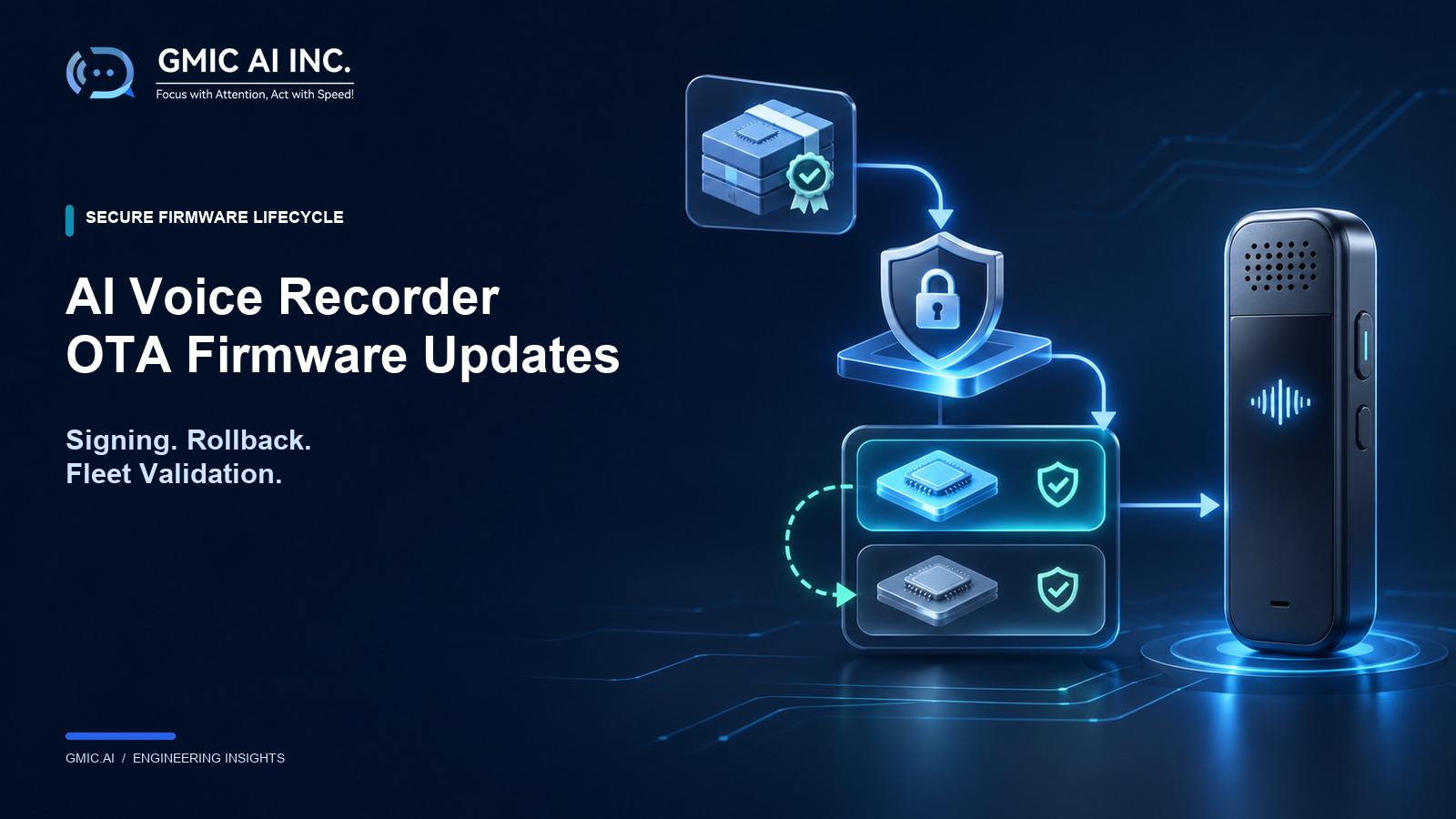
A production AI voice recorder OTA firmware update system should accept only authorized images, survive power or network loss, preserve recordings and device identity, validate the new firmware before committing it, and recover to a known-good version when validation fails. The update channel, signing keys, release approval, telemetry and long-term support responsibilities must also have named owners.
This guide is for product, security and engineering teams defining an OEM or ODM recorder program. It focuses on the update lifecycle after devices leave the factory. It complements broader firmware integration work; it is not a claim that one partition layout or security mechanism is appropriate for every processor and risk model.
Why OTA is part of the recorder architecture
An AI voice recorder may stay in service for years while mobile operating systems, Bluetooth stacks, cloud APIs, certificates, codecs and security requirements change. A device without a maintainable update path can become incompatible or leave known vulnerabilities unresolved. An unsafe update path creates a different risk: it can install unauthorized code, strand devices, erase recordings or break the only mechanism available for the next fix.
In anonymized buyer questions reviewed by GMIC, teams repeatedly asked whether firmware could be updated from their own app or server, who would build and sign releases, whether OTA supported resume and rollback, whether recordings and settings survived an update, and how long corrective support would continue. These questions belong in the product requirements before chipset and flash capacity are frozen.
NIST’s IoT cybersecurity catalog describes software update as the ability for authorized entities to update device software through a secure, configurable mechanism. It includes verifying that updates come from valid sources. See the official NIST software update capability.
Define ownership before selecting an OTA service
“Supports OTA” can mean that a silicon SDK contains an update API. It does not answer who controls the commercial product.
Create an ownership matrix for the complete release chain:
| Responsibility | Decision to document | Evidence to retain |
|---|---|---|
| Source and build | Who can change production firmware and reproduce a release? | Versioned source, dependency lock and build record |
| Release approval | Who authorizes pilot and fleet deployment? | Approval record tied to an immutable artifact |
| Image signing | Who holds and can use the production signing key? | Key policy, signing log and signer identity |
| Artifact hosting | Which customer or supplier service distributes the image? | Artifact digest, access policy and retention record |
| Device targeting | How are model, hardware revision and cohort selected? | Compatibility manifest and rollout policy |
| Update command | Which app, backend or local tool can request an update? | Authenticated request and audit record |
| Recovery | Who can stop, roll back or repair a failed rollout? | Runbook and tested recovery result |
| Vulnerability response | Who evaluates issues and ships corrections? | Support term, severity policy and communication channel |
A product owner may delegate some operations to an ODM without surrendering control. The contract and architecture should still allow the owner to identify what code runs, approve releases, obtain build artifacts and transition support if the supplier relationship changes.
For the wider device/app/backend ownership model, read Private-Cloud AI Voice Recorder Architecture.
Separate delivery security from firmware authenticity
HTTPS protects an update while it travels between authenticated endpoints, but it does not by itself prove that the firmware was approved for this device. A compromised distribution account or misconfigured server could still provide an unwanted image.
Signed firmware gives the bootloader or update agent a way to verify the image against a trusted public key or trust anchor stored on the device. The private signing key should not be embedded in firmware, stored in an ordinary source repository or shared casually with development and factory systems.
Define at least:
- signature algorithm and parameters supported by the selected platform;
- which component verifies the signature and when;
- how the trusted public key or digest is provisioned;
- whether multiple verification-key slots are available;
- how a signing key can be rotated or revoked;
- whether development keys are rejected on production units;
- whether local USB or factory update paths enforce the same authorization policy.
Secure boot extends the trust decision to startup: the device verifies authorized code before execution. Signed-update verification without hardware-enforced secure boot can still reduce remote update spoofing risk, but it may not protect against an attacker who can replace or reprogram the bootloader. The exact physical and remote threat models should be explicit.
NIST SP 800-193 organizes firmware resiliency around protecting against unauthorized changes, detecting changes and recovering securely. The Platform Firmware Resiliency Guidelines provide a useful procurement and engineering reference, although the document is not a product certification.
Use an update manifest, not a bare binary
The release artifact should include or be accompanied by a signed manifest that tells the device and fleet service what is being installed.
A practical manifest may contain:
- product family and model;
- compatible PCB or hardware revisions;
- firmware version and security version;
- bootloader, radio, DSP or other component requirements;
- minimum currently installed version;
- image size and cryptographic digest;
- signing-key identifier;
- release channel or cohort;
- configuration or data migration version;
- mandatory or optional status;
- expiry or withdrawal status;
- human-readable release identifier.
The device should reject an image built for another hardware revision even when the image carries a valid signature. Authentic does not necessarily mean compatible.
Design for interrupted download and interrupted installation
Downloading and installing are separate failure domains. The recorder should be able to resume or restart a partial download without changing the active firmware. Only a completely received and verified image should become eligible for installation.
Before writing or activating an update, check requirements such as:
- sufficient battery level or external power;
- enough staging flash or storage;
- compatible hardware and current version;
- valid signature, digest and manifest;
- recordings and transfer state safely finalized;
- no conflicting operation such as recording, file transfer or factory provisioning;
- update policy and user/administrator authorization.
If the radio or app disconnects, preserve a durable download offset and verify retained data before resuming. The file transfer principles in AI voice recorder file transfer protocol also apply to update packages, but the firmware image must remain isolated from ordinary recording storage and commands.
Power can fail while flash metadata is being changed. The partition table, boot-selection record and update state must be designed so an interrupted write does not leave the device without a bootable path.
A/B slots enable recovery—but only when validated
In an A/B layout, the recorder runs the active image while writing the candidate image to an inactive slot. After verification, the boot metadata selects the candidate for a trial boot while the previous image remains available.
That arrangement is valuable only if the system can determine whether the new image is healthy. A successful jump to the reset vector is not enough. The candidate can enter a probation state and run defined checks before marking itself valid.
Voice recorder checks may include:
- application starts without a crash loop;
- protected device identity and credentials can be read;
- recording index and retained files remain valid;
- microphones, storage and essential buttons initialize;
- BLE or Wi-Fi subsystem initializes;
- device can report the installed version;
- update client remains capable of receiving a future release;
- configuration migration completed;
- watchdog and power-management behavior remain functional.
If the application cannot confirm health within the allowed boots or time, the bootloader should select the known-good image. Espressif’s official ESP-IDF OTA documentation illustrates a dual-slot process, pending verification and application rollback. Treat it as a platform example, not a universal design.
Rollback and anti-rollback solve different problems
Operational rollback restores a previous working image when a new release fails. Security anti-rollback prevents installation or execution of a version below an allowed security level because an older signed image may contain a known vulnerability.
These requirements can conflict. If an irreversible security counter is advanced too early, the device may be unable to return to the only known-good image. A safer sequence is usually:
- install and authenticate the candidate;
- trial-boot it without permanently revoking the fallback;
- complete functional and fleet validation;
- mark the image operationally valid;
- advance an irreversible security version only under the defined release policy.
The implementation depends on the processor, bootloader and available monotonic storage. Document how many old images remain bootable, when they are erased, and what happens when no compatible fallback exists.
Preserve recordings, identity and configuration
Recorder data should not live in a partition that routine firmware replacement erases. Define independent boundaries for:
- bootloader and immutable trust data;
- active and candidate firmware;
- device-unique identity and credentials;
- customer endpoint and pairing configuration;
- recording files and manifests;
- transfer acknowledgements and deletion state;
- diagnostic and update logs;
- factory-calibration data.
An update may change a data schema. Migration code must be forward-tested and failure-aware. If the device rolls back after migrating configuration, the older firmware must either understand the migrated schema or restore a compatible copy. This is a common place where a nominal firmware rollback still leaves the product unusable.
Never report “recordings preserved” based only on a successful installation. Test devices with an empty library, a typical library, nearly full storage, interrupted recordings and files waiting for upload.
Treat the mobile app and backend as part of compatibility
A recorder rarely updates in isolation. Firmware, mobile SDK, companion app, cloud API and transcription pipeline may change together.
Maintain a compatibility matrix that answers:
- Which app versions can communicate with each firmware version?
- Can the old app install the update needed to support the new app?
- What happens if the app updates before the recorder?
- Can the recorder still upload to the current backend after rollback?
- Are GATT characteristics, commands and error codes versioned?
- Is there an intermediate release required for bootloader or schema migration?
- Can a fleet skip releases safely?
Protocol negotiation should return explicit supported versions and capabilities. Do not infer compatibility only from a marketing firmware version string.
For the underlying firmware/application interface, see Firmware integration for AI devices and AI SDK integration for voice devices.
Use staged rollout rather than an all-device push
Even a correctly signed release may contain a functional defect. Release management should limit the blast radius.
A practical rollout can progress through:
- engineering devices with detailed logs;
- internal production-equivalent units;
- a small pilot cohort across representative hardware revisions;
- a limited percentage of the field fleet;
- wider deployment with monitored pause conditions;
- completion only after success and health criteria are met.
Targeting must be deterministic. Record which exact artifact, manifest, signer and policy reached each device. Avoid serving different binaries under the same version identifier.
Define automatic pause thresholds before release—for example, elevated download failure, boot rollback, loss of connectivity, recording failure or support incidents. A dashboard without a stop policy is observation, not rollout control.
Collect minimal, useful update telemetry
An OTA program needs evidence of fleet state, but logs should not expose recording content or unnecessary customer data.
Useful events may include:
- update offered, accepted or deferred;
- current and target firmware versions;
- model and hardware revision;
- download start, committed offset and completion;
- signature or compatibility rejection reason;
- installation attempt and power state;
- trial boot, health checks and validation result;
- rollback reason;
- final active version;
- anonymized or pseudonymous device identifier as appropriate.
Retention and access should match the product’s privacy and support requirements. If the device is designed for a private cloud, update telemetry should follow the same ownership and endpoint rules rather than silently using an ODM analytics service.
Plan signing-key rotation before it is needed
A product lifetime can exceed a certificate or key policy. The device needs a controlled way to trust a successor key without accepting arbitrary signers.
Possible platform capabilities include multiple trusted-key slots, an update signed by both the old and new key, or a signed trust-store update. Requirements should cover:
- planned rotation;
- emergency revocation after suspected compromise;
- devices that missed the transition release;
- offline or long-dormant inventory;
- factory and repair tools;
- end-of-support behavior.
Key ceremonies, access controls, backups and audit logs matter as much as the cryptographic algorithm. If the supplier alone holds the only production signing key, the product owner has a critical lifecycle dependency. If the customer alone holds it, the release workflow must still let authorized engineering and manufacturing teams obtain signed artifacts without exposing the key.
Define local recovery for devices that cannot update remotely
No OTA mechanism eliminates every failure. Products may need a controlled recovery path through USB, a fixture, a protected button sequence or an authorized service tool.
Recovery should not become a bypass around secure boot or expose device secrets. Specify:
- who can enter recovery mode;
- how recovery firmware is authenticated;
- whether recordings are preserved or deliberately erased;
- whether customer credentials survive repair;
- how a recovered device returns to fleet management;
- how debug interfaces are locked in production;
- how repair actions are recorded.
Test recovery after deliberately corrupting a candidate image and boot metadata—not only from a normally running device.
OEM acceptance test matrix
Run OTA validation on production-equivalent hardware, not only development boards.
| Test | Fault or condition | Passing evidence |
|---|---|---|
| Authorized image | Correct production signature | Device accepts the intended compatible release |
| Unauthorized image | Development, unknown or modified signature | Device rejects it without changing active firmware |
| Wrong hardware | Valid image for another revision | Compatibility check rejects it |
| Interrupted download | Drop BLE/Wi-Fi at multiple offsets | Resume or restart is deterministic; active image is unchanged |
| Power loss during write | Remove power during staging | Device boots the previous image and can retry |
| Power loss at activation | Interrupt boot metadata update | At least one authorized image remains bootable |
| First-boot crash | Force watchdog/reset in probation | Candidate is not committed; known-good image returns |
| Failed peripheral check | Break microphone/storage initialization | Health policy triggers rollback or quarantine |
| Low battery | Begin below the installation threshold | Update is deferred with a clear reason |
| Full recording storage | Nearly fill user storage | Recordings remain intact and policy is documented |
| Pending uploads | Leave unacknowledged recordings | Update preserves transfer identity and deletion state |
| Configuration migration | Upgrade and then force rollback | Configuration remains compatible or is restored safely |
| Old vulnerable image | Attempt a prohibited security downgrade | Anti-rollback policy rejects it |
| Key rotation | Move from current to successor signing key | Transition succeeds; revoked key is rejected as designed |
| App compatibility | Pair old/new app and firmware combinations | Supported combinations work; unsupported ones fail clearly |
| Staged rollout | Inject failures in a pilot cohort | Deployment pauses before wider release |
| Local recovery | Corrupt candidate and use service path | Authorized recovery restores a managed, auditable state |
Evidence should include build provenance, artifact digest, signature verification, device logs, boot state, retained recording checks, backend deployment records and the final fleet version report.
Questions to ask an OEM or ODM
- Which processors and current board layouts support secure boot, signed updates, A/B recovery and anti-rollback?
- Who owns the production source, build environment, signing keys and artifact repository?
- Can our app or private backend initiate and host updates without a supplier cloud?
- How are model and hardware revision compatibility enforced?
- What happens if power fails during download, flash write, boot selection or first startup?
- Which recordings, credentials, calibration and settings survive every update and rollback path?
- How do firmware, SDK, app and backend versions negotiate compatibility?
- Can a release be paused and targeted to a pilot cohort?
- What is the signing-key rotation and emergency revocation plan?
- What security-fix and BSP support period is contractually available?
- What local recovery path exists after remote update fails?
- Which test reports and release records will be delivered for production approval?
Frequently asked questions
Is HTTPS enough for a secure voice recorder OTA update?
No. HTTPS protects delivery between authenticated endpoints, but the device should also verify that the firmware artifact itself is authorized and compatible, typically through a signed image and manifest enforced by the update or boot chain.
Does every voice recorder need A/B firmware partitions?
Not necessarily. Flash-constrained products may use other recovery designs. The requirement is to survive defined failures and retain an authorized recovery path. A/B slots are a common way to keep the previous working image available.
What is the difference between rollback and anti-rollback?
Rollback restores a previous working version after a failed update. Anti-rollback prevents installation or execution of versions below an approved security level. A design may need both, with careful sequencing so security counters do not remove the only valid recovery image prematurely.
Who should own the firmware signing key?
Ownership depends on the commercial and operational model, but it must be explicit. The product owner should understand and approve who can authorize code for production devices, how access is controlled, and how support can continue if a supplier changes.
Should recordings be deleted before an OTA update?
Normally no. Finalized recordings and their transfer state should remain in a storage boundary that routine firmware updates do not erase. Any retention or deletion action should follow the product owner’s defined data policy, not be an undocumented side effect of updating.
How long should OTA support continue?
Define the support period contractually based on expected product life, component availability, vulnerability response, regulatory obligations and customer commitments. “OTA capable” does not establish how long fixes will actually be produced.
Engineering note: this article incorporates anonymized patterns from buyer security and lifecycle questions plus public technical guidance. It does not disclose customer identities or commercial terms and does not represent unverified project requirements as shipped GMIC capabilities. Last reviewed: November 2026.