
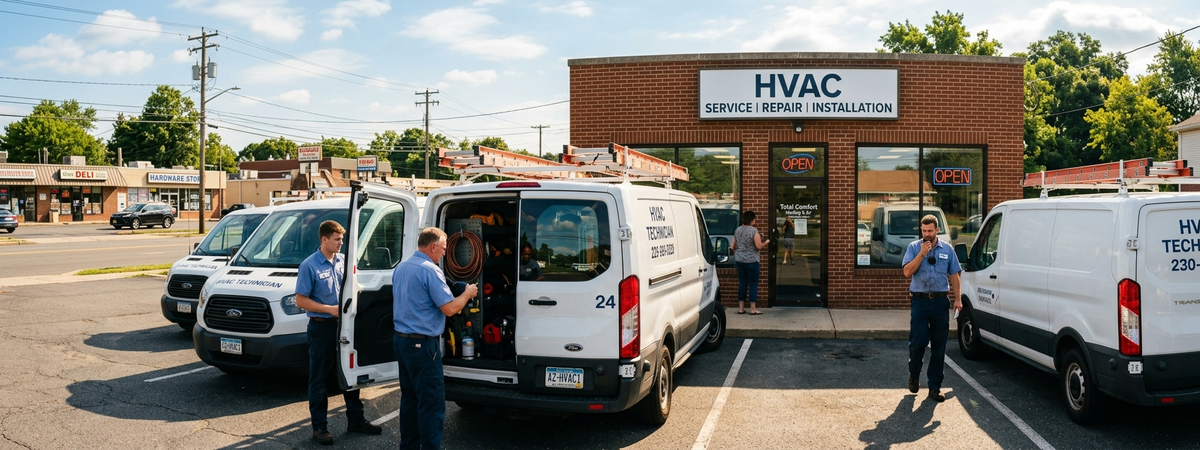
AI Phone Answering for Local HVAC Companies
Picture a small HVAC company in the first hot week of summer. A technician is in a crawl space, the dispatcher is juggling two install windows, and the owner is driving between jobs when the phone lights up with a same-day no-cooling call. Nobody picks up. Ten minutes later, that customer calls the next company. That is exactly where AI phone answering starts to matter.
I’ve seen versions of that mess more times than I can count. Not in some glossy demo. In the real world, where local service businesses grow or stall based on whether they catch the call, understand the job, and leave the site with notes that still make sense the next morning.
AI phone answering is usually the first crack to fix
For HVAC, the phone isn’t a side channel. It’s the front door. A homeowner with no AC doesn’t want to fill out a form and wait. They want to ask one blunt question: can you get here today?
That’s why I care about tools like Telalive. Not because AI phone answering sounds fancy. Because if a call gets answered in three rings, the business has a shot. If the caller’s issue, address, urgency, and preferred time get captured right away, dispatch starts with something usable instead of a half-remembered voicemail. That’s a real missed call solution, not just another feature list.
- During lunch: the office line rings while the dispatcher is already calming down one upset customer and texting a technician who is late.
- After hours: the emergency call comes in when nobody wants to babysit the phone but nobody wants to lose the job either.
- On weekends: the person covering the line writes “AC problem, call back” on a sticky note, which is basically a small tragedy pretending to be a process.
That last one matters more than people admit. A business can buy ads, build a decent website, and still lose money because the handoff from ringing phone to booked job is sloppy. This is where small business phone automation earns its keep.
☕ Here’s what I’d tell you if we were having coffee
Pull up your phone logs from the last seven days. How many calls turned into a clear note with a next action? And what’s the one process in your business that still relies on memory?
The second crack shows up in the field
Now picture the technician on-site. The customer says the upstairs has been warm for three days, mentions a strange noise near the condenser, asks about air quality, then casually says they might replace the whole unit next season. That’s not small talk. That’s the job, the sales context, and the follow-up plan all mixed together.
Most of that gets lost. Not because the technician is lazy. Because people are human, the day gets long, and nobody writes their best notes while standing in a driveway sweating through a uniform.
This is where wearable voice capture starts to matter. In field settings, something like MIC05 or MIC06 from HEARIT.AI makes sense when it stays out of the way, records the important parts, and turns raw conversation into something the office can actually use later. Quote follow-up. Training clips. Dispute review. Even simple reminders like, “customer asked about maintenance plan in the fall.” For teams testing voice AI for SMB, this is the kind of practical use case that matters.
Where AI tools for small business usually go wrong
I didn’t plan to write about this, but here’s the part people usually hide.
We’ve also seen this go wrong.
One team wanted every call tagged with a long list of job types, urgency codes, equipment categories, warranty status, and follow-up labels before anything moved forward. On paper, it looked smart. In practice, it was a disaster. Staff skipped fields. Technicians guessed. One office manager started dumping everything into the same bucket just to get through the day. We found out because the summaries looked clean, but the callbacks were a mess and the owner said, half laughing and half annoyed, “Why does every job suddenly look like a thermostat issue?”
The fix was embarrassingly simple. Cut the required inputs down to the few things that actually drive action: who called, what broke, how urgent it sounds, and whether a human needs to step in now. That’s it. Philosophy matters here. Good tools respect human attention. If your AI setup asks a busy team to behave like data-entry clerks, you’ve already lost.
“What does this technology mean for the human on the other side?” In HVAC, it means fewer dropped moments. Fewer forgotten details. Less time reconstructing reality after the fact.
What local HVAC companies actually need
Not more dashboards. Usually not another app, either. They need a cleaner way to catch what already happens in the business.
- Catch the call: Telalive can answer, summarize, and push the next step fast enough that the office isn’t starting from scratch.
- Catch the job-site conversation: MIC05 or MIC06 can help preserve what the customer said, what the technician found, and what should happen next.
- Make it real later: once those two streams exist, training gets easier, repeat visits can drop, and managers stop relying on vague end-of-day recollections.
Here’s my slightly unpopular opinion: most small service companies do not need the smartest model first. They need the least fragile intake. AI phone answering helps them miss fewer calls. Lose fewer field details. Then build from there.
If you’re running HVAC, I’d love to hear how your team handles missed calls and messy handoffs from field to office. Sometimes the whole problem is hiding in one ugly little gap between “we talked to the customer” and “we wrote something down.”
I’m Trigg — CEO at GMIC AI. We build AI tools that have to survive real workflows, not just look good in demos.
If you want to see what that looks like
If HVAC is your world, book a 15-minute demo and we’ll show you how Telalive fits the way service businesses actually work.