Medical Transcription Equipment for Modern AI Workflows
Medical transcription equipment includes the hardware used to capture, record, transfer, and deliver clinical speech to transcription systems. Depending on the workflow, this may include handheld recorders, desktop microphones, smartphones, wearable devices, or dedicated AI voice hardware.

GMIC designs and manufactures voice-capture hardware for AI software companies building medical transcription and clinical documentation platforms.
US + Shenzhen Prototype to Mass Production SDK/API Audio Certs
What Is Medical Transcription Equipment?
Medical transcription equipment is the hardware that moves clinical speech from the room to the document. It covers what captures the audio, what stores or transmits it, and — in traditional workflows — what a transcriptionist uses to play it back.
The equipment layer has one job: get intelligible audio out of a clinical environment and into the software that turns it into text.
For most of the category's history, that meant a recorder, a cassette or audio file, and a typist working from playback. The document was produced by a person, and the hardware simply had to be clear enough for that person to understand.
Today the same job is usually handed to speech recognition and clinical language models. The hardware requirements shifted accordingly: consistent microphone behavior, predictable noise handling, and a reliable path into the customer's platform now matter more than raw loudness.
Traditional equipment
Handheld dictation recorders, desktop and USB microphones, foot pedals, transcription headsets, and workstation software. Built around a human transcriptionist producing the document from playback.
Modern equipment
Smartphones, tablets, wearable microphones, badge recorders, room arrays, and dedicated AI voice hardware that streams or uploads directly into a documentation platform.
Where the boundary sits: transcription equipment captures and transports audio. The transcription itself — speech recognition, summarization, structured notes — happens in software. A device can make that software's job easier or harder, but it does not perform transcription.
Traditional Medical Transcription Equipment
The traditional workflow is linear and well understood: a clinician dictates, a file is produced, a transcriptionist types it, and a document reaches the record. Each stage has its own hardware.
-
Clinician dictates
Structured speech from one speaker, usually close to the microphone.
-
Recorder captures
Handheld recorder or desktop microphone writes an audio file.
-
File transferred
Docking station, USB, or network transfer moves the recording.
-
Transcriptionist types
Playback through headset and foot pedal produces the document.
Handheld digital recorder
A close-talk recorder operated by one clinician, with local file storage and manual transfer. Still common where a report is dictated alone rather than captured from a conversation.
Desktop microphone
A fixed-position microphone at a workstation, tuned for a consistent seated distance. Predictable audio, no mobility.
USB dictation microphone
A wired microphone with integrated controls that appears to the PC as an audio device. Plug-and-play, no pairing or battery to manage.
Foot pedal
A transcriptionist's playback control for start, stop, and rewind, leaving both hands on the keyboard. Belongs to the typing side of the workflow, not the capture side.
Transcription headset
Playback hardware chosen for speech intelligibility over long sessions rather than for music reproduction.
Transcription workstation
The PC and software that hold the audio queue, playback controls, and document templates, and route finished documents onward.
Digital dictation system
The server-side layer that manages job routing, priorities, and turnaround across a department or multiple sites.
When traditional equipment is still the right answer: single-speaker dictation of structured reports, specialties with established templates such as radiology and pathology, environments where a human transcriptionist is already contracted, and sites where network access is limited or restricted. These setups are not obsolete — they are optimized for a different job than ambient conversation capture.
Modern AI-Powered Medical Transcription Equipment
In an AI workflow the transcriptionist step disappears, but the hardware step does not. The equipment still has to capture the encounter and deliver it somewhere — the difference is that the destination is a model rather than a person.
-
Doctor / patient
One or more speakers, at varying distance, in a room with its own noise profile.
-
Voice capture device
Handheld, wearable, desk-mounted, or a room array, depending on the setting.
-
Audio processing
Noise suppression, beamforming, voice activity detection, gain control, echo cancellation.
-
Local storage / stream
Buffered on-device for later upload, or streamed continuously as the encounter happens.
- Transport
- Wi-Fi
- BLE
- USB
- Companion app
- Batch upload
-
Speech-to-text
Transcription of the captured audio, with or without speaker separation.
-
AI processing
The customer's models turn conversation into structured clinical content.
-
Clinical documentation
Transcript, summary, or SOAP note that the clinician reviews and signs.
-
EHR / documentation
Delivery into the record system over a data-exchange standard.
The top row is hardware and firmware behavior — specified, tuned, and versioned during the device program. The device does not perform transcription. It handles capture, recording, storage, and connectivity; recognition, summarization, note generation, and EHR delivery all happen in the customer's software.
Types of Medical Transcription Equipment
No single equipment type is best for every clinical setting. The table below compares the common options on the dimensions that usually decide the choice — who is speaking, how far away, and how the audio reaches the software.
| Equipment type | Best for | Strengths | Limitations | AI integration |
|---|---|---|---|---|
| Handheld digital recorder | Solo dictation, radiology | Portable, simple, familiar workflow | Requires manual interaction for each encounter | Limited |
| Desktop microphone | Telehealth, office consultations | Good audio at a consistent seated distance | Stationary; tied to one workstation | Moderate |
| USB dictation microphone | Desk-based documentation | Plug-and-play, no pairing or battery | Wired and stationary | Moderate |
| Smartphone | Early pilots and validation | Already in the clinician's hand, no purchase | Microphone varies by model; screen handling distracts | App-dependent |
| Tablet / laptop | Telehealth, desk-based encounters | Multi-purpose device already deployed | Often shared; microphone quality varies widely | App-dependent |
| Wearable microphone | Outpatient clinics, rounds | Hands-free with a consistent speaking distance | Depends on connectivity to a phone or network | Strong |
| Wearable recorder | Hospital and shift-based work | All-day battery, records without a connection | Requires integration work to reach the platform | Strong |
| Dedicated AI scribe device | Scaled deployments | Purpose-built capture with SDK/API control | Requires a hardware partner and a device program | Purpose-built |
| Room microphone array | Operating rooms, group therapy | Covers multiple speakers across a room | DSP complexity and higher cost per room | Requires tuning |
Scroll the table horizontally to compare →
Not sure which equipment type fits your workflow? GMIC can walk through the trade-offs against your recording environment and integration method.Talk to the hardware team
What Equipment Does an AI Medical Scribe Need?
The answer changes with the encounter. Dictating a report alone and capturing a three-way conversation across a room are different acoustic problems, and they lead to different hardware. See also microphone for an AI scribe.
Doctor-only dictation
One speaker, close to the microphone, speaking deliberately. A close-talk handheld or USB microphone is usually sufficient; array processing adds cost without adding much.
Doctor-patient conversation
Two speakers at different distances and volumes. Speaker separation starts at the microphone geometry, so array design and placement matter more than post-processing.
Ambient documentation
Nobody addresses the device. Capture has to run for the whole encounter without prompting, which puts weight on battery, storage, and consistent gain.
Hands-free workflows
Gloved or occupied hands rule out screen interaction. Recording needs to start from a single physical control, or from a schedule the device already knows.
Telehealth
The clinician is seated at a known distance from a fixed device. A desktop or USB microphone gives repeatable audio without adding another item to manage.
Hospital rounds
Corridors, wards, and changing noise across a shift. Wearable capture with local storage handles the movement and the network gaps between rooms.
Dental practice
Suction, handpieces, and a masked clinician working over the patient. Noise suppression tuned to that specific band matters more than microphone sensitivity.
Home healthcare
Unknown rooms, unknown networks, and a visiting clinician. Offline recording with delayed sync is usually the only reliable pattern.
How to Choose Medical Transcription Equipment
Most hardware decisions follow from a small number of requirements. Working through these in order tends to narrow the options faster than comparing product specifications.
| Requirement | What to consider | Typical hardware direction |
|---|---|---|
| Number of speakers | Single-speaker dictation, or a conversation between two or more people | Close-talk microphone vs a multi-microphone array |
| Recording distance | Under 30 cm from the mouth, or 1–3 m across a room | Wearable or handheld vs a room device |
| Background noise | Quiet office, or a clinic with HVAC, alarms, and corridor noise | Basic microphone vs a DSP-equipped device |
| Device placement | Worn on the body, sitting on a desk, or fixed in the room | Form factor and mounting choice |
| Offline recording | How reliable Wi-Fi is where encounters actually happen | Local storage capacity and retry behavior |
| Real-time streaming | Whether documentation has to appear during the visit | Continuous upload and available Wi-Fi bandwidth |
| Battery | A single consultation, or a full clinical shift | Battery size, charging model, and docking |
| Connectivity | Wi-Fi, BLE to a companion app, or wired USB | Firmware architecture and upload path |
| Deployment scale | Ten devices for a pilot, or ten thousand across an enterprise | Fleet management, provisioning, and standardization |
| Privacy architecture | Public cloud, or a private server the customer controls | Configurable upload endpoints and authentication |
| Custom firmware | Recording triggers, capture-state behavior, OTA updates | Firmware integration as part of the device program |
| Branding / white label | Whether enterprise customers receive a branded device | An OEM/ODM partner and custom enclosure tooling |
Scroll the table horizontally to read both columns →
Audio Quality and Medical Transcription Equipment
Most accuracy complaints that get blamed on the model are decided before inference runs. What reaches the software is set by the microphone, its position, and the room.
What happens in the room
These are physical constraints. No amount of processing fully recovers information the microphone never captured.
Placement and distance
A lapel microphone at 20 cm and a room array at 2 m are different engineering problems. Placement drives microphone selection, gain structure, and how much processing is needed.
Room noise
Clinical spaces commonly sit in the 70–80 dB range with HVAC, alarms, carts, and corridor traffic. The device has to hold intelligibility in that band, not in a quiet lab.
Multiple speakers
Ambient capture means at least two voices at different distances and volumes. Separating them starts with array geometry rather than post-processing.
Gain, clipping, and echo
Levels set too high clip on loud speech; set too low they bury a quiet patient. Hard surfaces add reflections that smear consonants.
What the DSP chain does
These stages are tuned together against the noise profile of the target environment — see audio and DSP tuning.
Noise suppression
Attenuates steady background sound so speech stays above it, without stripping the consonants that carry meaning.
Beamforming
Uses the spacing between microphones to favor sound arriving from the speaker's direction and reject the rest of the room.
AGC and VAD
Automatic gain control keeps levels usable as people move; voice activity detection marks where speech is, which saves bandwidth and storage.
Echo cancellation
Removes the device's own playback and room reflections so a speaker's voice is not competing with a delayed copy of itself.
An honest limit: audio quality affects the signal provided to the transcription system, but final performance also depends on the speech recognition model, language, speaker behavior, and environment. Better hardware raises the ceiling; it does not guarantee a particular accuracy figure.
Connectivity and Data Transfer
How audio leaves the device is as much a product decision as how it is captured. Each path has a different failure mode, and the right one depends on the network the device will actually live on.
| Method | Best for | Advantages | Considerations |
|---|---|---|---|
| USB | Secure environments and desk-based work | Simple, reliable, no pairing or radio | Wired and stationary by definition |
| Bluetooth / BLE | Wearable device bridged through a phone | Low power, suits small battery budgets | Bandwidth and range limits; pairing to manage |
| Wi-Fi | Real-time streaming and direct upload | High bandwidth, no intermediate device | Depends on coverage where encounters happen |
| Companion app | BLE device paired to a clinician's phone | Handles authentication and session management | Requires app development and maintenance |
| Local record, later upload | Offline or poorly covered environments | Recording continues regardless of network | Documentation arrives after the visit |
| Real-time stream | Live transcription during the encounter | Results available immediately | Needs a stable network for the whole session |
Scroll the table horizontally to compare →
Where this becomes engineering work: connecting a device to a platform means agreeing on an audio format, an authentication model, an upload endpoint, and what happens when any of them fails. GMIC handles that as firmware integration, coordinated with the customer's engineering team.
Local Storage vs Real-Time Transcription
This choice decides when documentation appears and how the device behaves when the network does not cooperate. Most deployments end up combining two of these patterns rather than picking one.
Local recording
Audio is written to the device and stays there until it is collected. Recording never depends on coverage, but the file has to be retrieved before anything downstream can happen.
Batch upload
The encounter is recorded locally and uploaded afterward. Simple and tolerant of weak networks; documentation arrives after the visit rather than during it.
Real-time streaming
Audio streams continuously while the clinician talks. Enables live documentation and puts the highest demand on network stability.
Offline-first with sync
Records locally by default and syncs opportunistically with retry logic once a known network is available. The usual pattern for rounds and home visits.
A practical note on capacity: storage requirements follow encounter length, audio format, and how long recordings are retained on the device before deletion. Those three parameters are usually set during firmware definition rather than chosen from a datasheet.
Medical Transcription Equipment vs Medical Dictation Devices
The two terms overlap enough that they are often used interchangeably, but they describe different scopes.
Medical dictation devices
A specific piece of hardware whose job is to capture speech — a handheld recorder, a wearable microphone, a badge, a desktop microphone. It is one component, defined by what it does acoustically.
Medical transcription equipment
The broader hardware set behind a documentation workflow: the capture device plus storage, transfer, and — in traditional setups — the transcriptionist's playback equipment. A dictation device sits inside this category.
Why AI blurs the line: when a single device captures the encounter and delivers it straight to a platform, the "equipment" and the "device" collapse into the same object. The distinction still matters when you are specifying a system rather than buying one product, because storage, transport, and integration remain separate decisions.
Read the complete medical dictation devices guide
The pillar guide covers device categories, integration architecture, technical requirements, and how to choose a platform in depth. Start there if you are evaluating medical dictation devices specifically rather than the wider equipment set.
When Does Dedicated Hardware Make Sense?
Consumer devices are a reasonable starting point, and buying hardware early usually slows a software team down. The switch tends to happen when specific problems become recurring rather than occasional.
Phones and laptops are fine for
Situations where the workflow is still being proven and the cost of being wrong is low.
- Early model validation and demos
- Small pilots with a handful of clinicians
- Quiet, seated, single-speaker environments
- Teams without a hardware budget or timeline yet
Dedicated hardware earns its cost when
The variables that affect capture need to come under the platform's control.
- Clinicians need hands-free operation
- Consistent microphone positioning matters
- Recording must continue without a network
- Firmware behavior and OTA updates must be controlled
- Devices map to a role or shift, not a personal phone
- Fleets are provisioned and monitored centrally
- Enterprise customers expect branded hardware
- The platform needs SDK/API-level device control
Reached that point? The trade-offs and platform options are covered in the guide to dedicated AI scribe hardware.Book a call

Clinical Settings
Each setting imposes its own constraints on the hardware. The pattern below is about workflow and capture conditions — see also dictation devices for doctors and GMIC's broader healthcare AI hardware work.
Outpatient clinic
Short consultations, two speakers seated close together, moderate corridor noise. Wearable or desk capture at a fixed distance is usually enough.
Hospital rounds
Movement between wards with changing noise and patchy coverage. Hands-free capture with local storage and delayed sync fits the pattern.
Dental practice
High-frequency equipment noise and a masked clinician working over the patient. Noise handling tuned to that band matters most.
Veterinary practice
Animal noise, movement, and a clinician whose hands are occupied. Robust wearable capture with a physical control suits the room.
Home healthcare
Unknown rooms and unreliable networks. Offline recording with retry logic is generally the only dependable approach.
Senior care
Quieter speech, occasional hearing difficulty, and longer encounters. Gain behavior and battery life carry more weight than portability.
Telehealth
A fixed seated position at a workstation, where consistent audio matters more than mobility.
Field and mobile care
Vehicles, outdoor noise, and no assumption of connectivity. Rugged capture, long battery, and offline-first behavior.
Have a specific clinical workflow? Describe the room, the speakers, and the distance, and GMIC will say which equipment direction is the realistic starting point.Describe your use case
Privacy and Security
Transcription equipment handles clinical conversations, so it sits inside the customer's compliance perimeter. What the hardware can and cannot do for that perimeter is worth stating plainly.
Hardware alone does not make a system HIPAA compliant
Compliance depends on the complete architecture — device, firmware, transmission, cloud infrastructure, software, authentication, retention and deletion policies — together with organizational procedures and applicable business associate agreements. A device can be configured to support that architecture; it cannot deliver compliance on its own.
How the rules apply
The HIPAA Security Rule requires administrative, physical, and technical safeguards across the whole system — the device, the transport, the servers that receive audio, the software that processes it, and the policies of the organization operating it.
Where audio is processed in the cloud, HHS guidance on HIPAA and cloud computing is the reference for how responsibility divides between a covered entity and its service providers.
What can be addressed at the hardware level
- Encrypted audio transmission between device and endpoint
- Device authentication against the customer's server
- Configurable local storage limits and upload endpoints
- Controlled recording triggers, so capture is deliberate
- Retention windows and deletion workflows on the device
- Integration with a private server rather than a shared cloud
These are configurable hardware and firmware behaviors. Describing a device as able to be configured for encrypted transmission is accurate; describing it as HIPAA compliant is not.
How Hardware Connects to Software
The handoff between the two layers is where most integration work actually happens. Everything left of the boundary is firmware behavior; everything right of it belongs to the customer's platform.
-
Capture
Microphone or array plus the tuned signal chain that follows it.
-
Store or stream
Buffered on-device, or sent continuously as the encounter happens.
-
Authenticate
The device identifies itself to the customer's endpoint before sending anything.
-
Upload
Audio reaches the customer's cloud or private server over the agreed transport.
- Handoff
- Audio format
- Auth model
- Upload endpoint
- Failure behavior
-
Receive
The upload endpoint the device authenticates to, in cloud or private infrastructure.
-
Transcribe
Speech-to-text with optional speaker separation.
-
Generate documentation
Transcript, summary, or structured note the clinician reviews and signs.
-
Deliver to EHR
Handed to the record system over a standard such as HL7 FHIR.
HL7 FHIR sits in the bottom row, in the software and data-exchange layer, not in the hardware. A transcription device does not speak FHIR; the platform that receives its audio does.
Where integration work actually happens: connecting firmware to a customer platform means agreeing on an audio format, an authentication model, an upload endpoint, and failure behavior. GMIC handles this as an AI SDK integration service, coordinated with the customer's engineering team. The exact architecture should be validated during technical review.
How GMIC Supports AI Medical Transcription Hardware
Six areas of work, delivered as one program rather than as separate vendors an AI team has to coordinate.

Audio engineering
- Microphone selection for the target speaking distance
- Array design and geometry for multi-speaker capture
- DSP tuning — noise suppression, beamforming, VAD, AGC, AEC
- Validation against the noise profile of the real environment
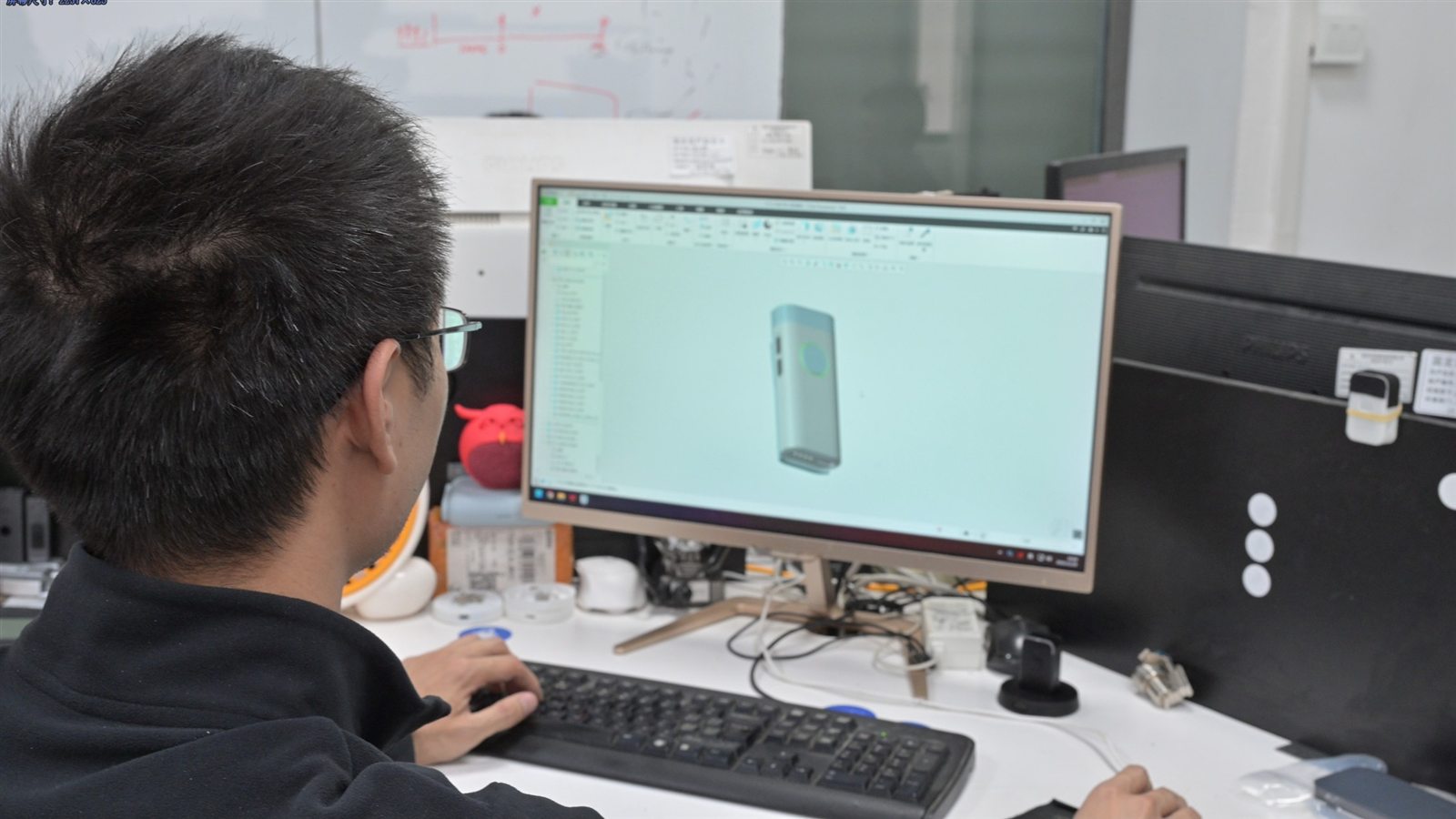
Firmware & device logic
- Recording triggers and capture-state behavior
- Upload logic with retry and backoff
- BLE pairing and companion-app communication
- OTA update paths and battery management
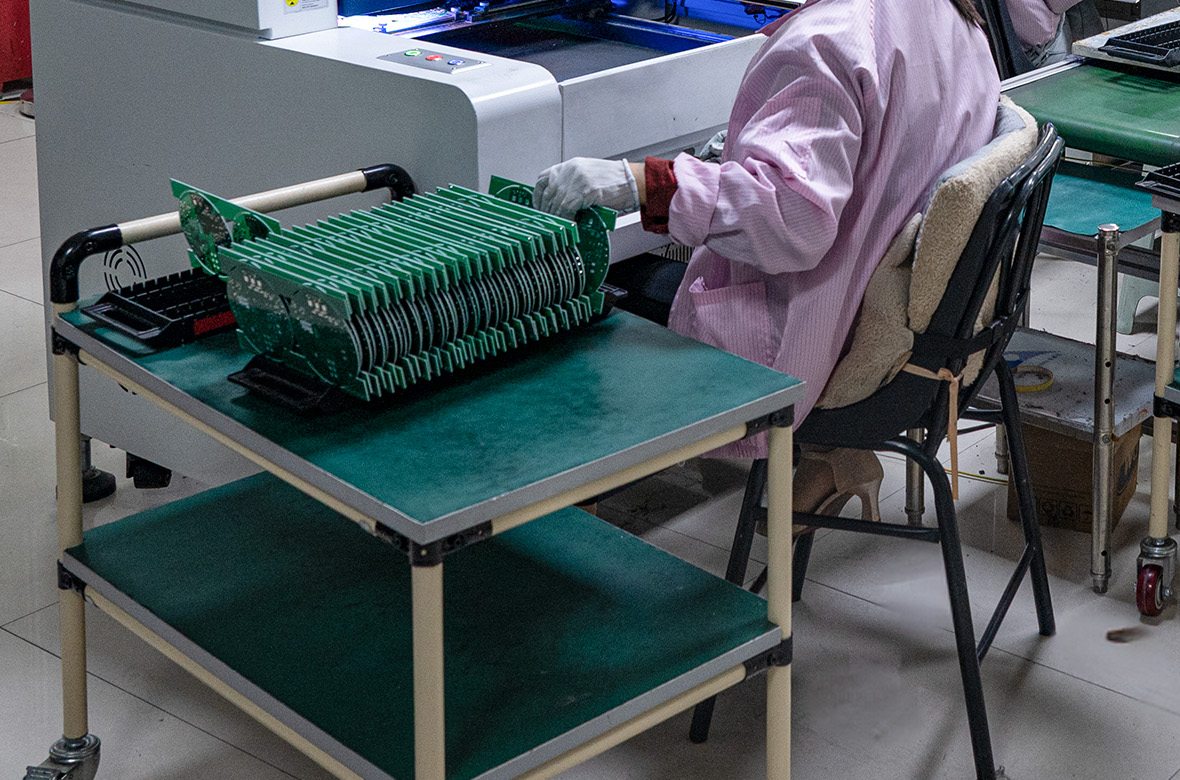
SDK/API & cloud integration
- Firmware-to-platform coordination with your engineering team
- Configurable upload endpoints and authentication
- Audio format, chunking, and failure-behavior agreement
- Private-server integration where required
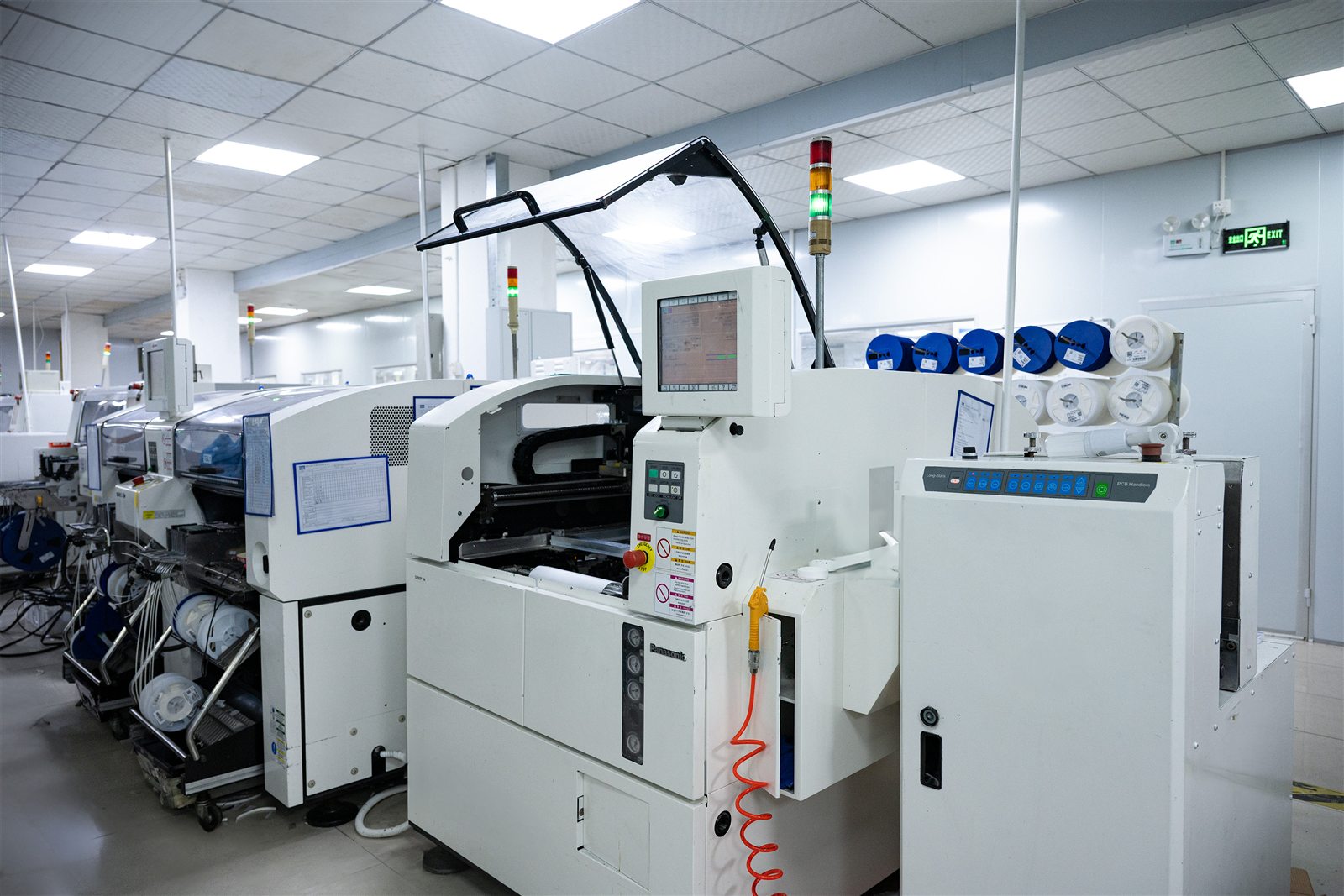
Manufacturing & QC
- SMT production and through-hole assembly
- Final assembly and packaging
- Functional testing against a defined test plan
- AOI inspection and process controls
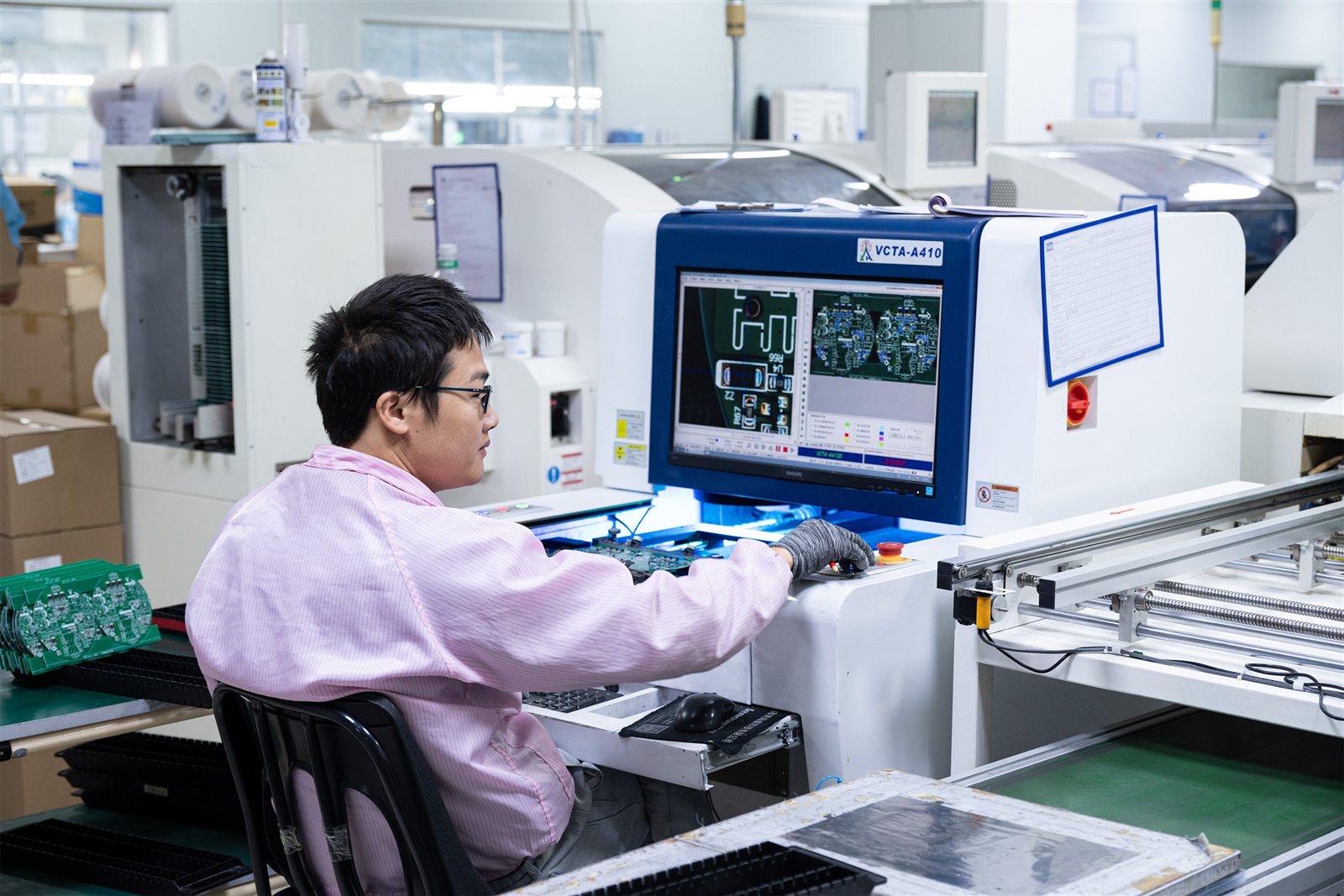
Prototype & validation
- Engineering samples for early audio evaluation
- EVT, DVT, and PVT validation stages
- Iteration on enclosure, acoustics, and firmware together
- Pilot builds before committing to volume tooling

OEM / white label & certification
- Custom enclosure design and tooling
- Branding, logo printing, and retail packaging via AI hardware ODM/OEM
- Hardware certification support for FCC, CE, and UKCA
- Documentation packages for customer compliance review
Related Guides
Medical Dictation Devices
The pillar guide to dictation hardware for AI scribe platforms — device categories, integration architecture, and technical requirements.
Read the guideMicrophone for AI Scribe
How microphone type, placement, and array design affect AI scribe transcription accuracy.
Dedicated AI Scribe Hardware
When purpose-built capture hardware becomes worth the investment for a scribe platform.
Dictation Devices for Doctors
Device selection by specialty and clinical setting, from radiology to home visits.
Medical Dictation Device vs Smartphone
A criteria-by-criteria comparison of consumer phones against dedicated clinical hardware.
Healthcare AI Hardware
GMIC's broader healthcare hardware work, including AI scribe and clinical voice capture.
Explore healthcare AI hardwareFrequently Asked Questions
Medical transcription uses handheld digital recorders, desktop and USB microphones, smartphones or tablets, wearable microphones and recorders, room microphone arrays, and dedicated AI voice hardware. Traditional setups also include transcription workstations with foot pedals and headsets.
The right combination depends on the clinical setting, who is speaking, and whether the audio goes to a human transcriptionist or an AI transcription platform.
Medical transcription equipment is the hardware used to capture, record, transfer, and deliver clinical speech to a transcription system. It covers the microphone or recorder that captures audio, the storage and connectivity that move the file or stream, and, in traditional workflows, the playback equipment a transcriptionist uses to produce the document.
Yes. Handheld recorders and USB dictation microphones remain in use, particularly in radiology, pathology, and specialties where a clinician dictates a structured report alone rather than capturing a conversation. Many organizations run these alongside newer ambient capture hardware rather than replacing them outright.
At minimum: a microphone capable of capturing intelligible speech at the working distance, storage or a connection that moves the audio to the platform, and an authenticated upload path.
Deployments at scale usually add hands-free operation, tuned noise handling, controlled firmware, device identity, and SDK or API integration with the customer's software.
Yes, and it is a reasonable way to validate a workflow before buying hardware. The trade-offs appear at scale: microphone behavior varies by model and case, the OS can change audio processing without notice, the clinician has to handle a screen, and the device belongs to a person rather than a role or shift.
A medical dictation device is a specific piece of hardware that captures speech. Medical transcription equipment is the broader category covering everything in the hardware chain — capture, storage, transfer, and, in traditional workflows, the transcriptionist's playback setup. A dictation device is one component within transcription equipment.
Not always. Devices with local storage can record without a connection and upload later when the network is available. Real-time transcription does require a stable connection, since audio has to reach the platform while the encounter is happening.
Yes, when the firmware is built for it. A device can stream or upload audio to a customer's cloud or private server over Wi-Fi, or pass it through a companion app over BLE. This requires agreement on audio format, authentication, upload endpoint, and failure behavior, which is coordinated during SDK and API integration.
It depends on speaking distance and the number of speakers. Close-talk microphones worn or held near the mouth suit single-speaker dictation. Multi-speaker conversations captured across a room generally need an array with beamforming and tuned noise suppression.
There is no single best microphone for every clinical setting — see microphone for an AI scribe for the detail.
Need Hardware for Your Medical Transcription Platform?
If your AI transcription or medical scribe platform needs a dedicated audio capture layer, GMIC can review your use case, recording environment, connectivity, firmware, and software integration requirements.